

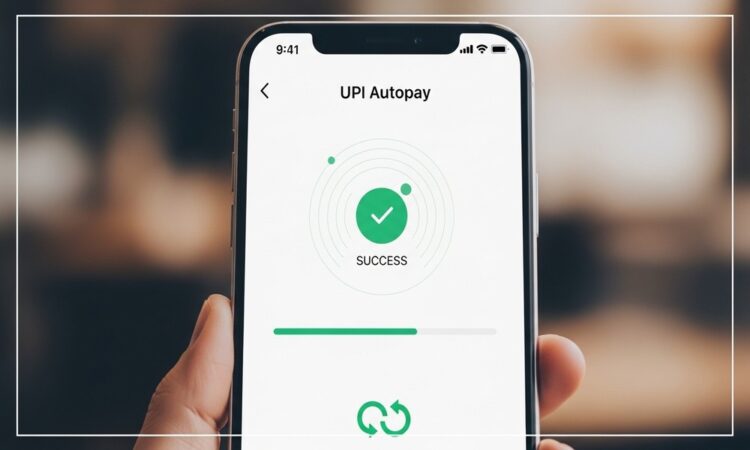
A car insurance app can make policy management easier for vehicle owners who want faster access to renewal details, premium payments, claim updates, and policy documents. Car insurance is not just a compliance requirement; it protects the vehicle owner from financial pressure during accidents, theft, natural damage, and third-party liabilities. With digital payment options becoming common, users now prefer handling insurance payments through UPI, cards, net banking, and digital wallets.
For many users, insurance renewal is one of several payments they manage every month. Along with fuel costs, FASTag recharge, utility bills, EMIs, subscriptions, and emergency expenses, car insurance premiums also need proper planning. A loan calculator can also help users estimate repayment pressure if they are managing vehicle loans, personal loans, or other monthly obligations alongside insurance payments.
A good car insurance app should not only allow premium payment. It should also help users check policy status, renewal date, coverage type, claim process, and payment confirmation. When users combine UPI, digital wallets, and organized reminders, online insurance payments become easier to manage without missing important due dates.
Why Car Insurance Management Needs Digital Support
Car insurance has several details that vehicle owners may forget if they depend only on offline records. Policy expiry date, premium amount, claim status, add-on covers, nominee details, and vehicle information must be checked regularly.
A car insurance app can help users manage these details in a more organized way. Instead of searching through emails, papers, or messages, users can access policy information from their phone. This is useful when they need to renew the policy, download documents, raise a claim, or check payment history.
Digital support is also helpful because insurance renewal often happens once a year. Since it is not a monthly payment, many users forget the renewal date until the policy is close to expiry. A missed renewal can create risk, especially if the vehicle is used daily.
Online Bill Payment Options for Car Insurance
Online bill payment options make insurance premium payment faster and easier. Users can complete renewal payments through UPI, digital wallets, debit cards, credit cards, or net banking, depending on the available payment methods.
The payment process usually includes a few simple steps. The user selects the policy, checks the premium amount, chooses the payment method, confirms the details, and completes the transaction. Once the payment is successful, the receipt or updated policy document may be generated digitally.
UPI is commonly preferred because it is quick and familiar. Digital wallets are also useful for users who keep funds ready for recurring payments. However, users should always verify the amount and policy details before confirming payment.
What Users Should Check Before Paying Insurance Premium
Before making payment through a car insurance app, users should review the policy carefully. Payment should not be completed only because the renewal reminder appears.
Check these details first:
1. Vehicle number
The vehicle registration number should match the car being insured. Any mismatch can create issues during claims or verification.
2. Policy holder name
The policy should reflect the correct owner details. If the vehicle ownership has changed, users should update records before renewal.
3. Coverage type
Users should check whether the policy is third-party, own damage, or comprehensive. The coverage type affects premium and protection.
4. Add-on covers
Add-ons may increase the premium but can provide additional protection. Users should include only those add-ons that are useful for their driving pattern and vehicle condition.
5. Premium amount
The payable amount should be reviewed before payment. Users should check if taxes, add-ons, or discounts are included.
6. Renewal date
The policy should be renewed before expiry to avoid a coverage gap.
Role of UPI in Car Insurance Payments
UPI helps users complete insurance payments quickly without entering long banking details. This makes it suitable for users who want a simple payment experience through their mobile phone.
When paying through UPI, users should check the receiver name, amount, and transaction status before closing the payment screen. If the payment is pending, they should not retry immediately without checking transaction history. Duplicate payments can create unnecessary refund follow-ups.
UPI is useful for car insurance payments because:
- It supports quick premium payment
- It reduces manual banking steps
- It keeps digital transaction records
- It works well for users already using mobile payments
- It helps complete urgent renewals before expiry
Still, users must protect their UPI PIN. The PIN should only be entered for approving a debit transaction. It should never be shared with anyone, including people claiming to offer support.
Digital Wallets and Insurance Payment Convenience
Digital wallets can make payment management easier for users who prefer keeping money ready for specific expenses. They may be useful for small recurring payments, bill payments, recharges, and insurance-related transactions where supported.
For car insurance, digital wallets can help users complete payment faster if the wallet has sufficient balance. Some users also prefer wallets because they can separate spending money from their main bank account.
However, wallet users should review transaction limits, payment status, and refund policies. A failed wallet payment should be checked carefully before attempting another transaction. Users should also keep receipts for insurance premium payments.
Digital wallets are helpful, but they should not replace careful policy review. The user should still check coverage, renewal date, premium amount, and policy terms before payment.
Car Insurance App and Claim Support
A useful car insurance app should also support claim-related actions. After an accident, users may not have time to search for documents or contact details. A digital claim process can help them submit basic information, upload photos, check claim status, and access policy details.
The claim process may vary depending on policy type and insurer rules, but users should generally keep these records ready:
- Policy number
- Vehicle registration number
- Photos of damage
- Accident details
- Repair estimate if available
- Driving license details
- Payment receipt
- Previous claim records if any
A car insurance app can make document access easier during such situations. Users should also read the claim rules before they need them. Understanding deductibles, exclusions, and claim timelines can prevent confusion later.
Linking Insurance Payments With Monthly Budget
Car insurance is usually an annual payment, but users should still plan for it monthly. Instead of treating the premium as a sudden expense, vehicle owners can divide the expected renewal amount across months and set money aside gradually.
For example, if a user expects a yearly premium, they can estimate a monthly saving amount and keep it separate. This helps avoid pressure at renewal time.
Users who already have EMIs or personal loans should also review their total monthly outflow. A loan calculator can help estimate how much EMI they are paying or planning to pay. When combined with insurance premium planning, this gives a clearer view of overall vehicle and household expenses.
A loan calculator is especially useful if the user is considering borrowing for car repair, vehicle upgrade, or emergency expenses. It helps compare EMI amounts before adding another financial commitment.
Where an Instant Loan App Fits Into Vehicle Expenses
An instant loan app may appear useful when a vehicle owner faces sudden repair costs, insurance-related expenses, or emergency travel needs. However, borrowing should not be the first choice unless the expense is urgent and repayment is manageable.
Before using an instant loan app, users should check:
- Whether the expense is necessary
- Whether savings can cover the amount
- Estimated EMI using a loan calculator
- Total repayment amount
- Interest rate and charges
- Repayment due dates
- Existing monthly payments
A quick loan may solve an immediate problem, but it can also add pressure if the user already has insurance premiums, utility bills, fuel costs, and other commitments. Borrowing should always be based on repayment capacity, not only on instant approval.
Practical Payment Routine for Car Owners
Vehicle owners can follow a simple routine to manage insurance and related payments better.
Start with policy tracking. Save the policy document digitally and note the expiry date. Set reminders at least a few weeks before renewal.
Next, review the coverage. Do not renew blindly. Check whether the policy still suits the vehicle age, usage, and risk level.
Then compare premium affordability. Make sure the insurance payment does not disturb essential expenses.
After that, choose a safe payment method. UPI and digital wallets can be convenient, but payment should be made only through trusted app screens or verified payment pages.
Finally, save the receipt. Keep a copy of the policy document and payment confirmation in a safe digital folder.
Common Mistakes Users Should Avoid
Many users renew car insurance at the last minute. This can lead to rushed decisions, missed coverage checks, or payment delays. Starting early gives enough time to review the policy properly.
Another mistake is focusing only on the lowest premium. A cheaper premium may come with limited coverage. Users should check what is included and excluded before making the decision.
Some users also forget to update personal or vehicle details. Incorrect information can create problems during claims.
Digital payment mistakes are also common. Users may pay through unverified links, ignore pending status, or fail to save receipts. Every insurance payment should be verified properly after completion.
Conclusion
A car insurance app can help users manage policy renewal, online bill payment, claim support, and document access more conveniently. It reduces dependency on paper records and helps vehicle owners stay aware of renewal dates, premium amounts, and coverage details.
UPI and digital wallets make insurance payments faster, but users should always verify policy details before confirming any transaction. Safe payment habits are important because insurance payments involve important financial protection. A loan calculator can also help users plan EMIs and vehicle-related borrowing before using an instant loan app or taking any new loan.
For better money management, car owners should track insurance renewal dates, review coverage, save receipts, and plan premium payments in advance. A car insurance app is useful when it supports not just payment, but also better awareness, safer transactions, and more organized vehicle expense planning.